
S-Parameter Export
The NanoVNA-F V3 can export measurement data as standard Touchstone files (S1P and S2P) for use in simulation software, spreadsheets, or further analysis on a PC.
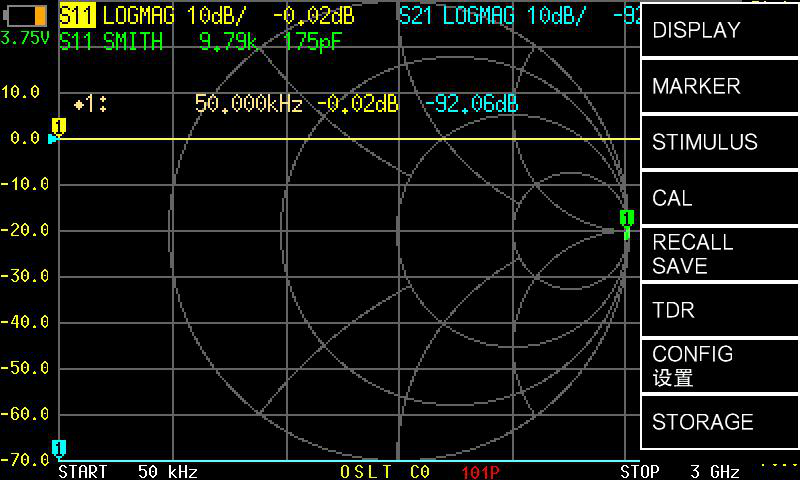
Save an S1P file (S11 only)
Section titled “Save an S1P file (S11 only)”S1P files contain single-port reflection data (S11).
- Complete your S11 measurement.
- Tap .
- The file is saved to the device’s internal storage.
Save an S2P file (S11 + S21)
Section titled “Save an S2P file (S11 + S21)”S2P files contain both reflection (S11) and transmission (S21) data.
- Complete a measurement that includes both S11 and S21 data.
- Tap .
- The file is saved to the device’s internal storage.
View stored files
Section titled “View stored files”Tap to see all saved files on the device.
Transfer files to a PC
Section titled “Transfer files to a PC”- Connect the NanoVNA-F V3 to your computer via USB-C.
- Enter U-disk mode: power off the device, then hold the middle button while powering on.
- The device appears as a USB mass storage drive.
- Copy the
.s1por.s2pfiles from the drive to your computer. - Safely eject the drive and restart the device.
Using exported files
Section titled “Using exported files”Touchstone files are a widely supported standard. Common tools that accept S1P/S2P files:
| Tool | Platform | Use case |
|---|---|---|
| NanoVNA-Saver | Windows, Linux, macOS | Re-plot and analyze VNA data |
| SimSmith | Windows, macOS | Smith chart impedance matching |
| QUCS / QucsStudio | Windows, Linux | Circuit simulation with measured data |
| MATLAB / Octave | Cross-platform | Custom data analysis and scripting |
| Spreadsheet (CSV import) | Any | Manual data inspection |