
Menu Map
The NanoVNA-F V3 organizes all functions into eight top-level menus, accessed by tapping the right-hand touch area or pressing the middle button. Each menu branches into submenus up to three levels deep.
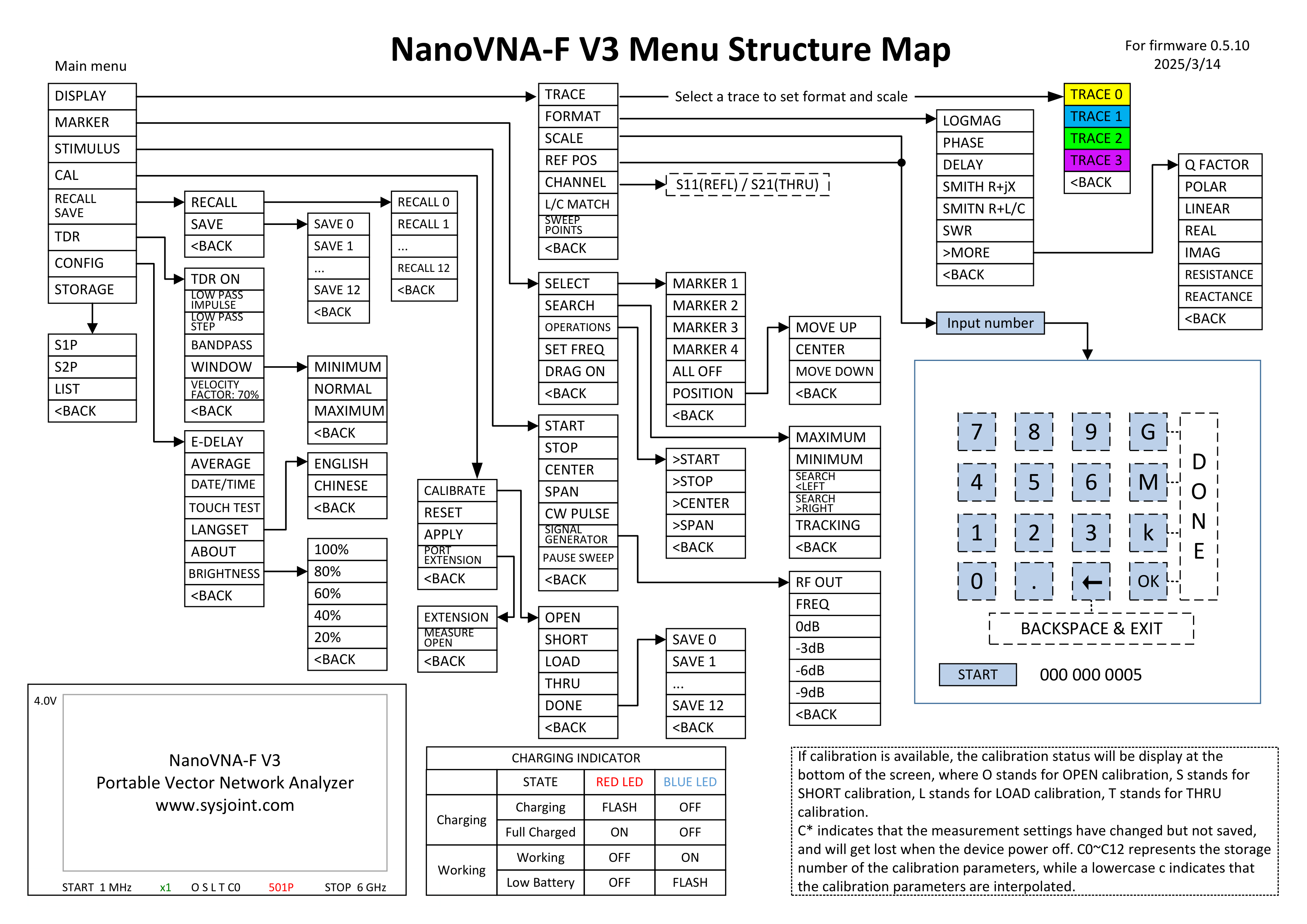
DISPLAY
Section titled “DISPLAY”Controls traces, display format, scale, reference position, channel assignment, and sweep point count.
DISPLAY
MARKER
Section titled “MARKER”Manages up to four markers for reading values, searching peaks, and setting frequency boundaries.
MARKER
STIMULUS
Section titled “STIMULUS”Controls the sweep frequency range and special output modes.
STIMULUS
Calibration management: perform OSLT calibration, save to slots, apply or reset correction data, and configure port extension.
CAL
RECALL / SAVE
Section titled “RECALL / SAVE”Load or store complete device state — calibration data, trace settings, and marker table position — across 13 slots (0 through 12).
RECALL / SAVE
Time Domain Reflectometry mode converts frequency-domain S11 data into distance-domain measurements for cable testing and fault location.
TDR
CONFIG
Section titled “CONFIG”Device configuration: electrical delay compensation, impedance matching, date/time, averaging, touchscreen, language, and display brightness.
CONFIG
STORAGE
Section titled “STORAGE”Export S-parameter data as Touchstone files for use with PC software and simulation tools.